Antlion / Components / Input Panel
Input Panel
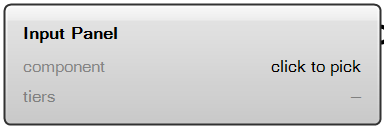
Pick an Antlion component and set every value it takes, with sensible defaults shown. For when you are not sure what to wire in.
Outputs
- Panel Values
ValuesEvery value set in this panel, as one bundle. Wire it into a panel to read it.
What it does
Pick a component, set the tier count, and every value it takes appears in one place with its default already filled in - so you can see what a value is and what a normal one looks like before you commit to it. It is not there to reduce how much you have to wire: almost every input already has a default, and the handful that must be wired carry data from upstream, which no panel can stand in for. The bundle it outputs is locked to the component you picked - wire it into a different one and it says so, rather than quietly filling a port that happens to share a name. A wire always wins over the bundle; a value you typed into a port by right-clicking does not, because whatever wins has to be visible on the canvas. Not every component is on its list - a few take one value or none, and a few take things a panel cannot type.
- Component
- Ribbon
- Util
- Tier
- free
- Ports
- 0 in · 1 out
- Version
- 1.0.11
- Checked
- 2026-10-08